knacksnews
Top 7 UI/UX Design Tools Every Designer Should Know
Choosing the right tools is essential for creating designs that look great and work well for users. Whether you're making layouts for websites, apps, or other digital products, good UI/UX design tools help bring your ideas to life and make the process easier. With so many options available, it can be hard to decide which ones to use. This guide covers seven of the best UI/UX design tools that every designer should know to create amazing user experiences.
Figma

Figma stands as a cloud-based design application which UI/UX designers increasingly use because of its collaborative capabilities. Real-time collaboration becomes possible through Figma because it enables different users to work together on single files simultaneously.
Key Features
- Real-Time Collaboration: Enables designers, developers, and stakeholders to collaborate without the need for constant file sharing.
- Cross-Platform: You can use it on any browser in addition to getting Windows or macOS desktop programs.
- Plugins and Integrations: A wide range of plugins to automate tasks, from accessibility checks to creating data-driven designs.
Why Designers Love It
The tool Figma provides an intuitive interface which works at high speed for both basic users and professionals. All designs stored on the cloud allow users to manage versions effortlessly with easy access from anywhere. The platform allows users to insert their remarks in their design files thus speeding up comment-based feedback cycles.
2. Adobe XD
Adobe XD is a vector-based design tool that's part of Adobe's Creative Suite. Unlike the other tools in the suite, it focuses solely on UI/UX design.
Key Features
- Seamless Integration: Integrates with other Adobe products like Photoshop and Illustrator to import assets and designs easily.
- Interactive Prototyping: Lets you create interactive prototypes for web and mobile apps without any coding knowledge.
- Responsive Resize: Adjusts elements automatically when resizing, making designing for multiple devices easier.
Why Designers Love It
Being a part of the Adobe Creative Suite means designers can easily switch between tools or work on different projects simultaneously. Adobe XD also offers a wide range of tutorials and resources, making it ideal for beginners.
3. InVision Studio
InVision Studio is a powerful design tool that combines UI and UX design capabilities, allowing you to create user flows, animations, and micro-interactions for web and mobile apps.
Key Features
- Motion Design: Create advanced animated effects with InVision's intuitive timeline editor.
- Design Systems: Allows designers to establish consistent styles and layouts across an entire project.
- Handoff Tools: Lets developers inspect designs and access specs directly in the browser or through plugins like Zeplin.
Why Designers Love It
InVision Studio offers a robust set of features while still being user-friendly. The easy-to-use animation tools make it perfect for creating prototypes with complex interactions.
4. Sketch
Sketch is a vector-based design tool specifically created for web and app design that's popular among UI/UX designers.
Key Features
- Plugins: A large selection of community-made plugins to automate tasks and enhance functionality.
- Vector Editing: Allows you to create infinitely scalable designs suitable for any screen size without losing quality.
- Symbols and Libraries: Create reusable elements like buttons and icons with ease through Sketch's symbol system.
Why Designers Love It
Sketch has become an industry-standard tool thanks to its powerful features, intuitive interface, and active developer community creating useful plugins. Its affordable pricing also makes it accessible to freelancers and small teams.
5. Axure RP
Axure RP is a powerful prototyping tool for creating interactive wireframes and prototypes for web and mobile applications.
Key Features
- Advanced Interactions: Create complex interactions, conditional logic, and data-driven designs without coding.
- Team Projects: Allows multiple designers to work on the same project while keeping track of changes through version control.
- Dynamic Content: Dynamically load content from external sources or databases to create realistic user experiences in prototypes.
Why Designers Love It
Axure RP offers robust prototyping capabilities that make it ideal for creating high-fidelity mockups of complex apps or websites. Its advanced features make it a favorite among UX designers who value functionality and usability in their prototypes.
6. Adobe Photoshop
While not typically thought of as a UI/UX design tool, Adobe Photoshop can be an excellent choice for creating website layouts or static designs.
Key Features
- Image Editing: Photoshop's extensive editing tools allow you to create stunning visual effects and manipulate images with precision.
- Custom Brushes and Fonts: Create custom brushes or use the vast library of fonts available in Adobe Creative Cloud.
- Layer Comps: Lets you keep track of multiple versions of your design through layer comps, making it easier to experiment without losing progress.
Why Designers Love It
Photoshop offers unparalleled control and precision when it comes to editing images, making it a favorite among UI designers for creating stunning visual effects. Its integration with other Adobe products also makes it easy to transfer designs between tools.
Adobe Illustrator
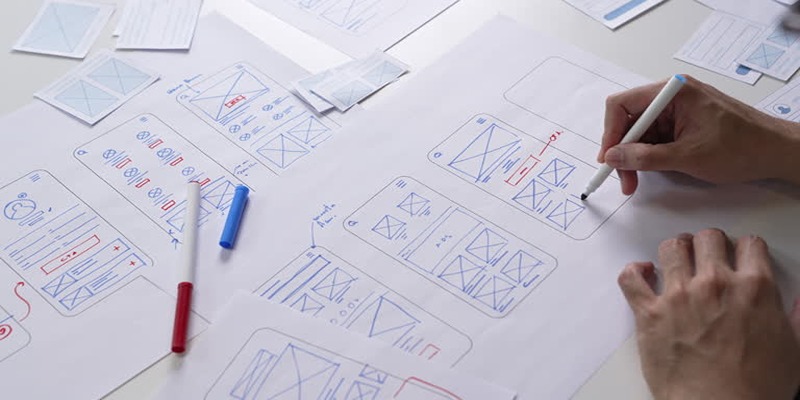
Adobe Illustrator is a vector-based design tool that allows you to create scalable designs suitable for any screen size.
Key Features
- Vector Editing: Create infinitely scalable designs without losing quality, making it perfect for creating icons and illustrations.
- Typography Tools: Offers advanced typography tools like character and paragraph styles, making it easier to maintain consistency in your designs.
- Artboards: Work on multiple versions of your design within the same file through artboards, making it easy to experiment with different layouts or variations.
Why Designers Love It
Illustrator's powerful vector editing capabilities make it an essential tool for creating icons, logos, and other illustrations for web and mobile applications. Its integration with other Adobe products also makes it easy to transfer designs between tools.
Conclusion
UI/UX design tools have come a long way in recent years, offering designers more options than ever before. Whether you prefer a simple interface or advanced prototyping capabilities, there's a tool out there that will suit your needs. With the help of these powerful design tools, creating stunning user experiences has never been easier.
On this page
Figma Key Features Why Designers Love It 2. Adobe XD Key Features Why Designers Love It 3. InVision Studio Key Features Why Designers Love It 4. Sketch Key Features Why Designers Love It 5. Axure RP Key Features Why Designers Love It 6. Adobe Photoshop Key Features Why Designers Love It Adobe Illustrator Key Features Why Designers Love It ConclusionRelated Articles

What is CX: A Beginner's Guide to Customer Experience Management

Quick and Simple Ways to Convert MPEG-4 to MP4 Format Online
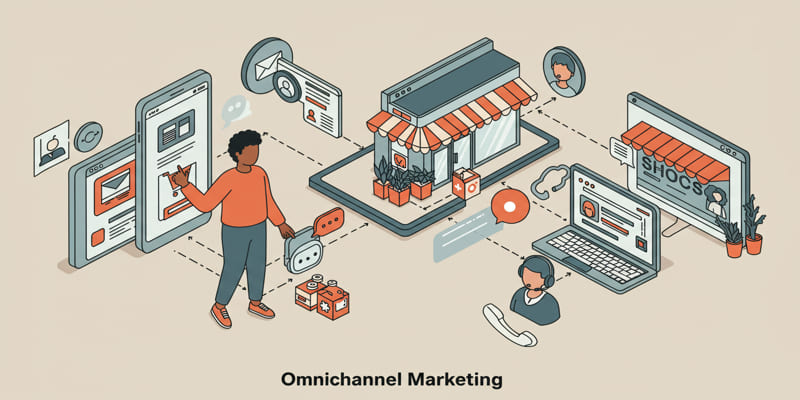
Omnichannel Marketing 101

How to Declutter Your Digital Workspace: A Complete Guide to Boost Productivity
5 Free PDF to Word Converters That Leave No Watermarks Behind
Simple Methods to Convert ISO Files to MP4 for Beginners
Make Gmail Searches Smarter: Optimizing Google Workspace for Speed

Programmatic SEO: How Can You Increase Search Traffic Using No-Code Tools
Troubleshooting GitHub Push Errors Related to Authentication
Top 3 Simple Ways to Convert WMA to MP4 Easily
Which Are The 7 Best URL Shorteners: Simplify Your Links in 2025