knacksnews
How to Declutter Your Digital Workspace: A Complete Guide to Boost Productivity
A messy computer workstation can cause you to slow down and lessen concentration. Distractions abound from too many files, emails, and applications. A well-run system lowers stress and increases output. Digital clutter accumulates over time. It includes unused apps, duplicate files, and an untidy desktop. Organizing this mess helps to save time and simplify tasks. Easy actions help your computer, emails, and online storage to be more orderly.
Frequent decluttering helps avoid aggravation while looking for papers. Maintaining a disciplined digital environment helps lower mental burdens. This guide will make your digital workspace orderly and clean. It addresses file organizing, email cleansing, and app purification. Follow these steps to create a clutter-free and productive workspace.

How to Declutter Your Digital Workspace
Below are the essential steps to help you declutter your digital workspace and improve productivity with a clean and organized system.
Organize Your Files and Folders
Document searching is difficult on a cluttered file system. Folders help to save time and increase work effectiveness—clear space by first eliminating extraneous files. Eliminate obsolete records and repetitions. Proper file organization depends on a disciplined folder system. Make primary folders for categories including finance, personal, and business. Organize inside every folder using subfolders. Clearly name files if you want them fast. Name things consistently using "Project-Name-Date." Organize often-used files in convenient places. Sort old papers either internally or outside of the archive folder. Cloud storage enables access to and storage of content from any device.
Declutter Your Desktop
A messy desktop can slow down your computer and increase the effort required in your task. A neat desktop helps efficiency and focus. Clear the screen of extraneous shortcuts and icons. Save the necessary files and directories on the desktop. Store current files in one folder called "Work" or "Daily Tasks." Sort all else into appropriate folders. Choose wallpaper that motivates creativity and concentration. If you require several files on the desktop, arrange icons into parts. Maintaining a neat and straightforward design helps to cut distractions. For rapid access to apps, use shortcuts and taskbars. Frequent emptying of the recycle bin helps to create room. Get into the weekly desktop cleaning habit. A neat desktop increases output and helps the workflow.
Manage Your Emails
One can get stressed and find a full inbox daunting. Email organization saves time and enhances correspondence. To help clear clutter, unsubscribe from newsletters and spam messages—sort emails by groups using folders or labels. Create folders for business, personal, and urgent emails. Archive your old emails instead of keeping them in the inbox. To free storage, delete pointless texts. Use filters and rules to automate email sorting—Mark key emails for fast access with flags or stars. Set set times to check emails instead of constant notifications. React to urgent emails right away to prevent backlog. For personal and business emails, use distinct addresses. A neat inbox helps one to concentrate better and simplifies email handling.
Remove Unused Apps and Software
Too many apps clutter smartphones and slow down machines. Eliminating unneeded programs speeds up performance and releases storage. Go over installed programs and delete ones you no longer find use. Check browser extensions and remove extraneous ones. Update key apps to keep them running as they should. On the home screen or dock, arrange apps that are often used—sort related tools within app directories. Maintaining security software current helps to reduce malware threats. Turn off the starting apps, which slows the machine's boot time. Use tools available in the cloud instead of several installed applications. Frequent app clearing boosts system performance and efficiency.

Organize Cloud Storage
Although cloud storage gives simple file access, over time, it can get messy. Frequent organizing enhances productivity and helps avoid confusion, as well as clearing old and duplicate files to make room. Sort critical papers, business, personal, and otherwise named folders. For simple access, name everything consistently. Sync just required folders to cut back on pointless storage consumption. Maintaining backups at several sites helps to safeguard critical information. Review and update your cloud storage often to preserve organization. When needed, a well-organized cloud solution guarantees simple access to vital files, saves time, and helps to lower stress.
Secure and Backup Your Data
Both frustrating and expensive is data loss. Regular backups help preserve crucial files from inadvertent deletion. For flawless storage, use oneDrive, iCloud, or Google Drive, among auto-backup options. Keep extra copies on USB drives or external hard disks for added safety. Sensitive material should be encrypted to stop illegal access. Turn on two-factor authentication and choose secure passwords. Maintaining antivirus software current helps guard against cyberattacks. Regular backups guarantee data protection and give peace of mind. A well-protected digital workspace lowers risks and keeps your important documents safe from unplanned harm or loss.
Maintain a Digital Decluttering Routine
While one-time digital decluttering is helpful, consistent maintenance keeps things orderly. Plan a monthly cleanup to avoid mess. Empty the trash, delete extraneous files, and update programs for improved speed. Review cloud storage and delete old files. Sort files into correct directories and guarantee your desktop stays tidy. Reviewing apps and deleting unnecessary ones speeds up systems. Set automated backups to safeguard critical information. Consistent decluttering helps to save time, lower stress, and improve output. A digital workplace that is kept up properly results in a more efficient workflow.
Conclusion:
A clean digital workspace improves concentration and output. Frequent maintenance helps to prevent files, emails, and programs from accumulating. File and folder organization, email management, and app removal of extraneous tools help to smooth out work. Cloud storage should stay orderly, and regular backups guarantee data security. A tidy desktop helps with workflow and lessens distractions. Establishing a decluttering schedule maintains your system's best performance. These little acts save time in daily chores and help to lower stress. Keeping your digital space orderly helps you to stay relaxed in working conditions and improve efficiency. Use these guidelines to have a more stress-free and efficient workstation every day.
Related Articles
How to Troubleshoot and Fix Docker Desktop Startup Issues on Windows

Calendly User Guide
Make Gmail Searches Smarter: Optimizing Google Workspace for Speed

What is IT Infrastructure Management and Why Does Your Business Need It
How to Convert WebP to MP4 Without Losing Quality
Troubleshooting Video Editing Glitches: Tips and Fixes That Work
5 Free PDF to Word Converters That Leave No Watermarks Behind

Which Are The 6 Best Electronic Signature Apps to Sign Documents Online in 2025
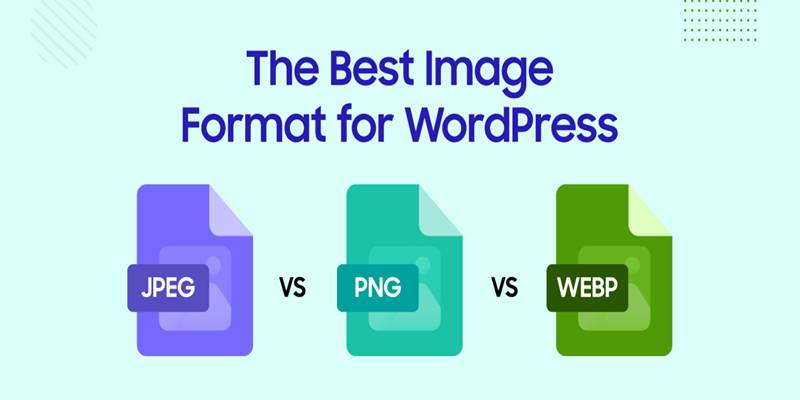
Which Free Converter Keeps Image Quality: PNG to JPG or PNG to WEBP?
Top 3 Simple Ways to Convert WMA to MP4 Easily
Top Keyword Research Tools