knacksnews
Calendly User Guide
Professional scheduling, team coordination and business scheduling management have experienced a transformation through Calendly. The cloud-based tool provides an easy-to-use interface together with robust functions to eliminate repetitive email exchanges and make appointment booking simple and boost operational efficiency. All users including freelancers and team leaders as well as members of big organizations will find solutions that match their specific needs in Calendly.
What is Calendly?
The scheduling automation system Calendly offers a platform which optimizes group and personal appointment scheduling. The tool works with any calendar system including Google Calendar, Outlook and iCloud Calendar so others can instantly check your availability and set meeting times without requiring email scheduling. After scheduling an appointment Calendly automatically sends the details to your calendar while it triggers automatic notifications to every participant.
Since the tool works well for professionals who require quick scheduling options for client or colleague or prospect meetings it has gained extensive usage. The system provides a user-friendly interface which makes it easy for non-scheduling software users to learn its benefits rapidly.
How Does Calendly Work?
Users can create booking links in Calendly that they distribute to their invitees. The booking system shows open slots that match your specified availability to other users who would book appointments through this mechanism. The platform provides connection capabilities to widely used applications including Zoom, Salesforce, Slack, HubSpot, and PayPal to automatically manage tasks between meeting link creation and payment handling in paid consultation situations.
Scheduling events with Calendly causes your linked calendar to receive automatic updates while it distributes prompt reminders to attendees who need to get ready for meetings. The scheduler adjusts for different time zones so invited participants from different locations can schedule meetings effortlessly.
Key Features of Calendly
Calendly provides its users with a full selection of features which support various scheduling requirements:
1. Customizable Event Types
You can use three different event formats through Calendly including individual meetings, group webinars or round-robin scheduling which distributes participants among team members.
Use different booking links to match appointment purposes that include client meetings and interviews alongside team interactions.
2. Buffer Times
The scheduling system allows users to insert waiting times between scheduled meetings to maintain proper readiness or transition periods.
The tool works very well for people who need to manage consecutive business appointments.
3. Integration Capabilities
The system integrates without interruption using the video conference tool Zoom as well as the Customer Relationship Management software Salesforce and communication platform Slack and marketing system HubSpot.
The system instantly transmits meeting information between different application platforms.
4. Multi-User Accounts
A team can create single accounts which provide managers with unified scheduling capabilities.
The scheduling system fits perfectly for organizations that need their human resources team to schedule interviews or their sales force to handle client telephone meetings.
5. Time Zone Adjustments
Calendly adjusts all meetings to the preferred time zones of invitees during scheduling.
Access becomes clearer for employees who cooperate with international colleagues or clients.
6. Secret Event Types
The system enables producers to establish confidential settings which will allow entry with unique invite links.
Useful for VIP meetings or sensitive discussions.
7. Mobile and Browser Accessibility
The Calendly application functions both through mobile devices and browsers to achieve instant appointment organization while on the move.
The platform supports multiple devices which ensures connections stay active.
8. Payment Processing
Users of paid plans can integrate their Calendly account with PayPal or Stripe to facilitate payments that occur during booking time.
The platform matches best with consultants as well as service providers who offer paid appointment times.
Benefits of Using Calendly
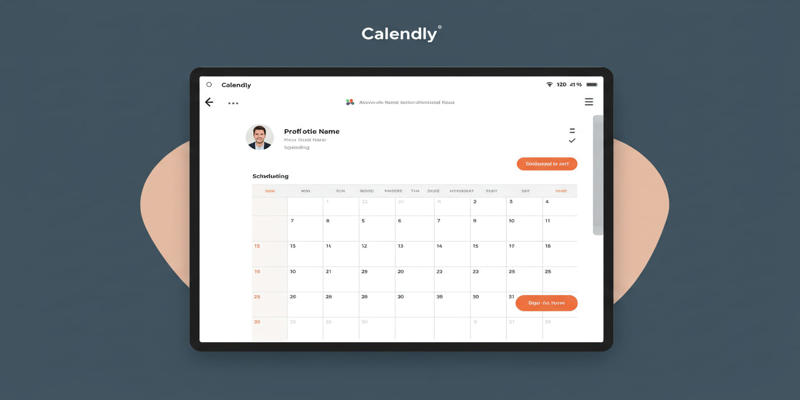
Various key features of Calendly enable professionals to make it indispensable due to its multiple advantages.
1. Saves Time
The automated scheduling features in Calendly eliminate the requirement for long email correspondence regarding scheduling. This frees up time for high-priority activities like client work or strategic planning.
2. Enhances Professionalism
The combination of custom booking pages and integrated systems enables Calendly to deliver a more sophisticated professional appearance when clients interact with your business. All branding elements including logos and colors become adjustable features to enhance your booking page with companies and identities.
3. Prevents Double-Booking
The system from Calendly examines all connected calendars so you can always avoid multiple bookings. Multiple calendars including personal and professional calendars allow it to confirm booking times which prevents scheduling conflicts.
4. Improves Team Collaboration
Multiple team members can use standardized scheduling systems through shared accounts connected to unified resources. Managers gain visibility into their team activities which lets them improve the workflow.
5. Boosts Customer Experience
Clients enjoy booking appointments due to the absence of time zone issues and appointment delays. The improved scheduling process elevates customer happiness and holds stronger onto clients.
6. Reduces No-Shows
The automated email and SMS notifications that contact attendees before meetings help decrease the number of meetings with no appearance.
Calendly Pricing Options
The pricing structure of Calendly includes various plans that accommodate different types of customers:
Plan | Key Features | Pricing | Best For |
|---|---|---|---|
Free | Basic scheduling; single event type | Free | Individuals with simple needs |
Pro | Advanced scheduling; multiple event types | $12/month | Freelancers and solopreneurs |
Premium | Team collaboration; reporting tools | $15/month per seat | Small-to-medium teams |
Enterprise | Custom integrations; priority support | Custom Pricing | Large organizations |
Users running basic appointments should start with the free plan yet the paid plans enable access to team collaboration features and reporting analytics.
Pro Tips for Maximizing Calendly
These expert recommendations will help users achieve maximum value from Calendly:
1. Use Buffers Wisely
You should include waiting times before and after appointments to stop feeling in a hurry between meetings and maintain concentration throughout meetings.
2. Integrate Business Tools
Users should integrate Calendly with customer relationship management solutions such as Salesforce or HubSpot in order to create more efficient workflows. Your CRM will automatically record all meetings after someone books an appointment through Calendly.
3. Embed Scheduling Links in Emails
Help your invitees easily book through links you embed directly inside your email messages. Your contact page and web site pages allow you to embed scheduling links as a helpful accessibility feature for your visitors.
Conclusion
The scheduling system at Calendly surpasses standard time booking by operating as an automation system that generates productivity gains while raising client appointments to professional standards. The platform features tools that fit all scheduling requirements so users can handle simple personal bookings or handle sophisticated team bookings.
On this page
What is Calendly? How Does Calendly Work? Key Features of Calendly 1. Customizable Event Types 2. Buffer Times 3. Integration Capabilities 4. Multi-User Accounts 5. Time Zone Adjustments 6. Secret Event Types 7. Mobile and Browser Accessibility 8. Payment Processing Benefits of Using Calendly 1. Saves Time 2. Enhances Professionalism 3. Prevents Double-Booking 4. Improves Team Collaboration 5. Boosts Customer Experience 6. Reduces No-Shows Calendly Pricing Options Pro Tips for Maximizing Calendly 1. Use Buffers Wisely 2. Integrate Business Tools 3. Embed Scheduling Links in Emails ConclusionRelated Articles

Syncing Apple Reminders with Microsoft To Do

Programmatic SEO: How Can You Increase Search Traffic Using No-Code Tools

Troubleshooting Video Editing Glitches: Tips and Fixes That Work
5 Free PDF to Word Converters That Leave No Watermarks Behind

Which Free Converter Keeps Image Quality: PNG to JPG or PNG to WEBP?

Which Are The 6 Best Email Clients for Mac: A Comprehensive Comparison

Omnichannel Marketing 101

How to Fix Khan Academy Buffering and Stream Videos Smoothly

How to Optimize Videos for WhatsApp: A Complete Guide

Top Website Annotation Tools to Streamline Your Workflow

What is IT Infrastructure Management and Why Does Your Business Need It