knacksnews
Syncing Apple Reminders with Microsoft To Do
Users can achieve seamless task management between different platforms by linking Apple Reminders with Microsoft To Do thus improving their productivity and staying organized. Mobile users benefit significantly from this integration because it merges Apple Reminders with Microsoft To Do on their iOS and Windows systems. This article examines how to link Apple Reminders to Microsoft To Do and shows the benefits of the merger while analyzing different third-party automation tools.
Introduction to Apple Reminders and Microsoft To Do
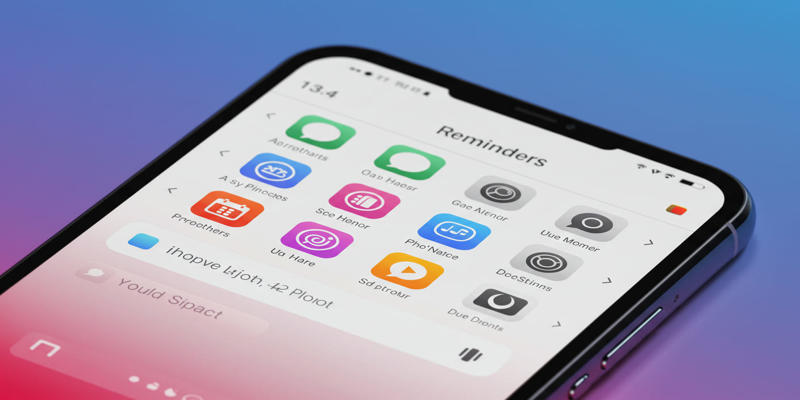
The native Apple Reminders app serves users of iOS and macOS through features that include smart triggers with automation options. With this service users can generate alerts and impose expiration timers while managing their work assignments using different lists. The system only functions within Apple devices through built-in connections.
The versatile Microsoft To Do solution enables users to manage their tasks on web-based and desktop and mobile phones. With Microsoft To Do users gain capabilities to work together and execute basic yet practical administrative functions. Users can link their Microsoft account to Microsoft To Do for device task synchronization.
Why Sync Apple Reminders with Microsoft To Do?
The synchronization of Apple Reminders with Microsoft To Do system brings multiple advantageous features to users.
- Both iOS and Windows users can access their tasks from one platform through Microsoft To Do software.
- The combination of Apple features with task creation synchronizes automatically to Microsoft To Do storage for complete task management.
- Microsoft To Do enables users to share tasks with their team members for collaborative team projects through its task assignment feature.
Steps to Sync Apple Reminders with Microsoft To Do
The connection of your Microsoft account to your Apple devices enables Apple Reminders synchronization with Microsoft To Do.
Here’s how:
On iPhone and iPad:
- Open Settings: Navigate to the Settings app on your iPhone or iPad.
- Navigate to "Reminders" followed by "Accounts" from the list using the designated screen.
- Sign in to your Microsoft Outlook or Exchange account through the add account menu.
- Complete the Microsoft Account Sign-In using your provided Microsoft login information.
- You can activate syncing by moving the switch to the "on" position that is located next to "Reminders."
On Mac:
- Users can reach the System Settings application from their Mac computer.
- New Internet Accounts can be created from "Internet Accounts" by selecting "Add Account."
- Select Exchange: Choose "Exchange" as the account type.
- Type your Microsoft account login information.
- Activate the "Reminders" switch to enable reminders synchronization.
Creating and Syncing Reminders
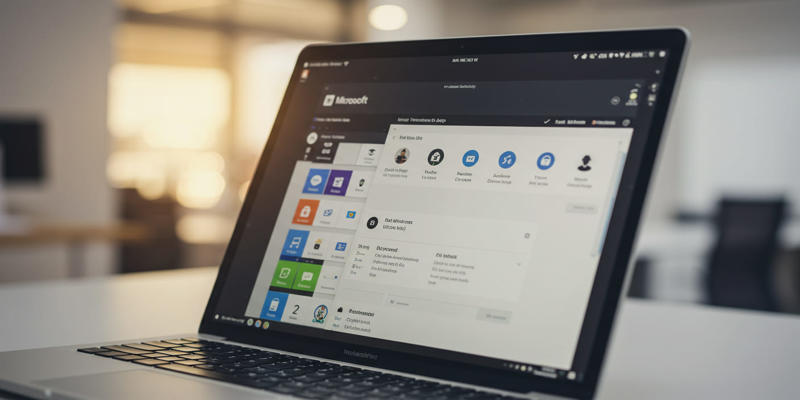
Setting up your Microsoft account allows you to establish reminders that the Microsoft To Do platform will synchronize:
Users should tap Tasks in the Outlook section to access New Reminder from iOS. Move to the Mac sidebar section then select "Tasks" before clicking the "Plus" icon.
On iOS, you can add a new List by selecting Exchange/Outlook from the list. To access the "Add List" feature on Mac, users should first select "Tasks" from the list.
Your Microsoft account will synchronize the reminders and lists which you can access through Microsoft To Do.
Users can leverage external programs that enhance Microsoft To Do integration capabilities.
To seek elevated automation and tailored integration capabilities use the no-code integration tool which is Onlizer. Onlizer brings Apple Reminders and Microsoft To Do together through auto-sync capabilities as well as notification functions and compatibility for external programs including ClickUp and Google Forms.
Benefits of Using Onlizer:
The platform lets users establish integrations effortlessly without any programming requirements.
Onlizer allows business users to customize their integrations according to their precise organizational requirements.
Automation: Automate workflows and notifications across different apps.
Challenges and Limitations
The beneficial nature of the Apple Reminders-Microsoft To Do synchronization process comes with several implementation restrictions.
Apple Reminders possesses restricted native integration features because it works exclusively with iCloud, thus requiring additional measures to allow syncing with alternative services.
Each device requires users to set up Microsoft account configuration manually before they can start syncing operations.
Through this integration solution, which unites Apple and Microsoft systems, Apple Reminders users can use Microsoft To-Do for cross-device task management. Tasks generated in Apple’s Reminders application through Microsoft accounts will automatically display within Microsoft To Do. The combined function works well for customers who utilize these platforms together because it prevents any vital task from being ignored. People of all technical levels can use Microsoft accounts in device settings, and Reminders sync to enable synchronization with a few basic steps.
The synchronization provides users with improved teamwork capabilities as its main advantage. Shared tasks between teams are possible in Microsoft To Do through its collaboration tools, while Apple Reminders provides easy-to-manage task lists and deadline tracking features. The combination enables users to utilize a single unified system that manages their tasks. Users who combine iPhone reminder functions and Windows desktop work procedures can combine their entire set of tasks into Microsoft To Do software. The unified system reduces application switching because users need only work on one platform.
Such compatibility enables a productive partnership between Apple Reminders and Microsoft To Do despite their initial hurdles in communication. The current practical solution is to follow these outlined steps even though improved technological integrations may be possible in the near future. Every device joins in a synchronized system that maintains tasks in organized, clear, and current conditions. Onlizer serves as a tool that provides flexibility for different workflow arrangements.
Conclusion
Users gain an improved experience when managing tasks through the combined effort of Apple Reminders with Microsoft To Do across various application genres. The outlined steps enable users to bring their tasks together while improving their productivity levels. For more advanced integrations, tools like Onlizer offer powerful no-code solutions. The evolution of technology will introduce simpler methods to unite various productivity applications.
Related Articles
How to Convert WebP to MP4 Without Losing Quality

Top Website Annotation Tools to Streamline Your Workflow

The Basics of S and OP: A Beginner’s Guide to Sales and Operations Planning
How to Troubleshoot and Fix Docker Desktop Startup Issues on Windows

Programmatic SEO: How Can You Increase Search Traffic Using No-Code Tools
Free SVG to PNG Conversion Tools Designers Can Use Without Limits

Omnichannel Marketing 101
Syncing Apple Reminders with Microsoft To Do
Troubleshooting Video Editing Glitches: Tips and Fixes That Work

Which Are The 7 Best URL Shorteners: Simplify Your Links in 2025

Which Are The 6 Best Electronic Signature Apps to Sign Documents Online in 2025